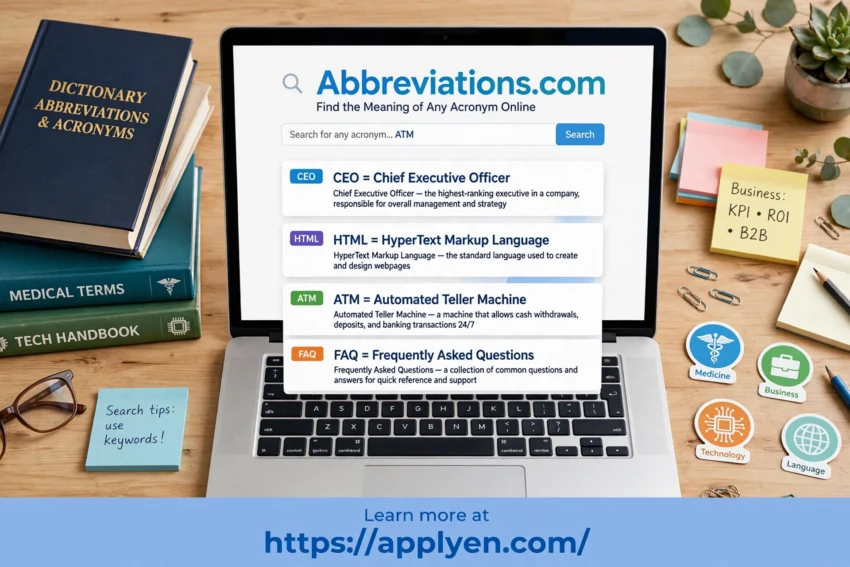
Have you ever come across an abbreviation or acronym that you did not understand? Whether you are reading a business report, studying a medical document, browsing the internet, or working with technical information, unfamiliar abbreviations can make understanding difficult.
Abbreviations.com is an online abbreviation finder that helps users discover the meanings of acronyms, abbreviations, and other shortened expressions across different fields.
In this article, we will explore its features, benefits, and how to use this free online tool effectively.
What Is Abbreviations.com?
Abbreviations.com is an online dictionary and search engine dedicated to acronyms, abbreviations, and initialisms.
The website contains a large collection of entries covering subjects such as business, finance, medicine, science, technology, education, government, and internet terminology.
It is useful for students, professionals, researchers, and anyone who wants to understand unfamiliar shortened terms quickly.
Main Features of Abbreviations.com
1. Online Abbreviation Finder
The website allows users to search for an abbreviation and explore its possible meanings.
Simply enter the letters into the search box to find relevant definitions.
For example:
- CEO: Chief Executive Officer.
- HTML: HyperText Markup Language.
- ATM: Automated Teller Machine.
- FAQ: Frequently Asked Questions.
Remember that the same abbreviation can have different meanings depending on the context.
2. Medical Abbreviations Dictionary
Medical professionals, healthcare students, and researchers frequently encounter specialized abbreviations.
Abbreviations.com includes medical categories covering areas such as nursing, hospitals, neurology, and other healthcare-related subjects.
However, medical abbreviations can be ambiguous. Always confirm important medical terminology with a qualified healthcare professional or an authoritative medical reference.
3. Business and Finance Abbreviations
Business documents often contain shortened terms related to accounting, financial markets, management, and professional organizations.
An online acronym dictionary can help readers understand unfamiliar terminology in reports, presentations, and workplace communications.
This feature is especially useful for business students, employees, and people learning professional English.
4. Technology and Computer Acronyms
Technology changes quickly, introducing new technical terms and abbreviations.
Abbreviations.com includes categories related to computing, networking, software, hardware, databases, and internet terminology.
Users can search for technical abbreviations to better understand computer documentation and online discussions.
5. Browser Extensions and Additional Tools
Abbreviations.com also provides browser extensions and other tools designed to make abbreviation lookup more convenient.
These tools can help users find explanations for unfamiliar acronyms while browsing the web. Check the official website for currently supported tools and installation options.
How to Use Abbreviations.com
Using the website is simple:
- Visit the official website.
- Enter the abbreviation or acronym you want to understand.
- Click the search button.
- Review the available meanings.
- Choose the definition that best matches your context.
If an abbreviation has several meanings, check its subject category and the surrounding text before deciding which definition is correct.
Benefits of Using Abbreviations.com
The website offers several advantages:
- Saves time: Find possible meanings without manually searching multiple websites.
- Wide coverage: Explore abbreviations across business, technology, medicine, science, and other subjects.
- Easy to use: Search for unfamiliar terms through a straightforward interface.
- Useful for students: Understand abbreviations encountered in textbooks and research.
- Helpful for professionals: Interpret terminology found in technical and business documents.
- Free access: Explore many abbreviation definitions without paying for a traditional reference book.
Who Should Use Abbreviations.com?
Abbreviations.com can be useful for different groups of people.
Students: Understand abbreviations in textbooks, assignments, and academic resources.
Business professionals: Interpret financial, managerial, and workplace terminology.
IT specialists: Look up computer, software, networking, and technology acronyms.
Healthcare students: Explore medical abbreviations while verifying important information through authoritative medical sources.
Writers and researchers: Clarify unfamiliar terminology when preparing articles, reports, and research documents.
English learners: Improve reading comprehension by learning the meanings of unfamiliar shortened expressions.
Is Abbreviations.com Free?
Abbreviations.com offers free access to its abbreviation search service, and its homepage indicates that users can search without signing up.
This makes it a convenient reference tool for people who regularly encounter unfamiliar acronyms and shortened terms.
Conclusion
Abbreviations.com is a useful online resource for discovering the meanings of abbreviations and acronyms across a wide range of subjects.
Whether you need to understand business terminology, medical abbreviations, computer acronyms, or everyday internet expressions, the website can help you find relevant definitions quickly.
If you frequently encounter unfamiliar shortened terms, Abbreviations.com is worth adding to your collection of online reference tools.
Start searching for abbreviation meanings today: Visit Abbreviations.com